Gaming on a big screen HDTV has obvious appeal. However, HDTVs are not built to be used as PC monitors, so if you intend to use an LCD HDTV as a gaming monitor, you’ll need to watch for a few potential problems.
Gaming on the Big Screen
As impressive as today’s biggest monitors are, the use of the monitor remains one of the PC’s largest disadvantages against consoles. While monitors are very crisp, their high resolutions combined with a lack of video processing power means that playing games on a large monitor requires a very beefy system. A good HDTV can solve this by providing a much larger screen, and the video processor on a good HDTV will smooth out the image in ways a PC does not.
So how can you hook up an LCD HDTV to your PC gaming rig?
Picking the HDTV
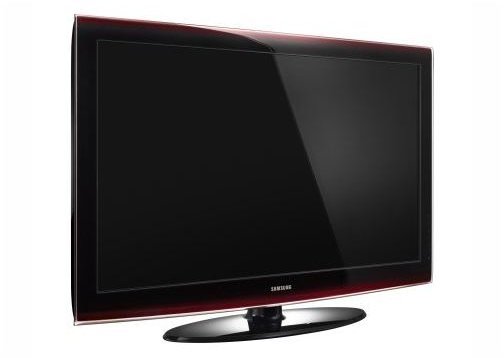
Before your plug a LCD HDTV into your gaming PC, you will of course need an LCD HDTV. There are many available, but you’ll want to pick one that will be good for gaming. This means picking a model with a high refresh rate, preferably 120Hz or higher. It also means picking up a LCD HDTV with a great picture. Sony and Samsung are two of the most popular LCD HDTV brands .
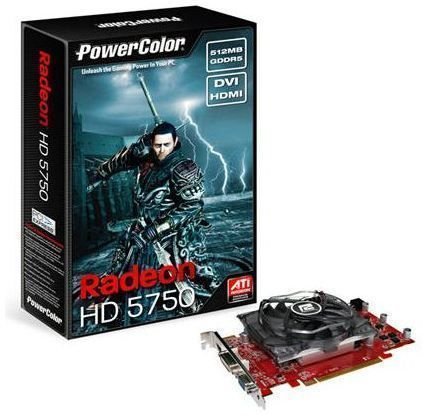
You’ll also want to pick an HDTV which supports the form of connection you will be using. The two most popular ways of connecting a gaming PC to an LCD HDTV are HDMI and DVI. Most modern video cards support HDMI and all of them support DVI, and most LCD HDTVs will have at least one of both connections types. Remember, however, that you may need a longer than typical cable to make the connection and that you’ll need additional HDMI and DVI connections if you plan to use the LCD HDTV with more than just your gaming PC.
Setting it Up
The size of a modern LCD HDTV can cause its own troubles. LCD HDTVs are larger and heavier than the LCD monitors most of us use. Although it may seem obvious to measure before trying to set up your LCD HDTV, it is an easy step to forget. It is also important to make sure that your current furniture can hold up the weight of your new LCD HDTV. Some cheap desks can become a little floppy over the years, and the last thing you want is for your new LCD HDTV to crash to the floor because of a furniture failure.
So long as you’ve followed the above advice and bought an LCD HDTV with the proper connections and made sure you have a solid place to put it, you’ll have no problems getting a picture. Modern LCD HDTVs work like any other plug-and-play monitor. Make the connection, turn it on, and voila! You will have a picture.
Tuning the Picture
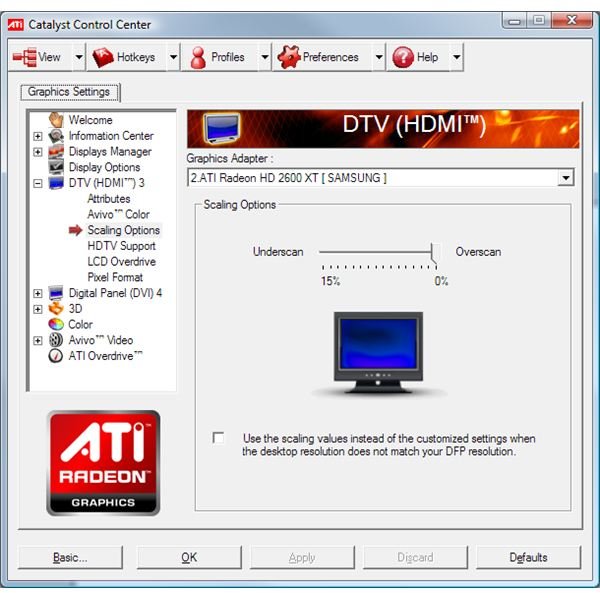
The picture, however, may not be what you expected. LCD HDTVs can suffer from overscan and undrescan. These are issues that occur when an LCD HDTV does not accurately present the information it is being fed to it. This can cause the desktop to appear as if it is zoomed in, meaning you cannot see the edges of the desktop, or zoomed out, in which case there will be black bars around the desktop. The former problem is overscan, and the latter is underscan.
Fortunately, both ATI and Nvidia are aware of the problem and have already taken steps to fix it. If you have not already done so, download the latest graphics driver suite from the manufacturer of your video card. Be sure to download the suite, not just the bare drivers. Once you’ve installed them, run them and access the HDTV specific sections. These will allow you to make adjustments for not only overscan an underscan, but also the resolution of your LCD HDTV, its refresh rate, etc.
Enjoying the Big Life
This is all you need to know to get an LCD HDTV working with your gaming PC. It is a very easy process in most cases, and it results in a large, beautiful display for all of your favorite PC games.