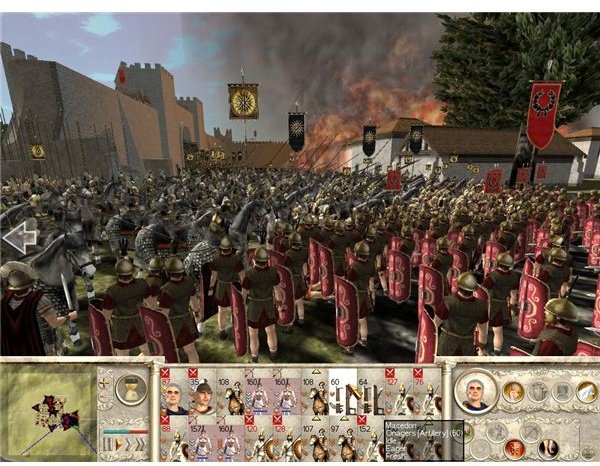
Mastering classic strategy hotkeys can significantly improve your efficiency and gameplay during extended campaigns in timeless RTS and strategy games.
The Importance of Hotkeys in Classic Strategy Games
Hotkeys have long been a cornerstone of efficient gameplay in classic strategy games. Whether you’re managing resources, commanding units, or navigating complex interfaces, well-practiced hotkeys save precious seconds. Over the course of a long campaign, these seconds add up, giving you better control and faster reactions. Classic titles like StarCraft, Age of Empires, and Command & Conquer rely heavily on keyboard shortcuts to streamline gameplay and reduce the need for constant mouse movement.
Unit Selection and Grouping
One of the fundamental hotkey practices involves selecting and grouping units. In games like StarCraft, assigning control groups with Ctrl + number keys allows you to quickly jump between different squads or production facilities. For example, pressing Ctrl + 1 might select your frontline army, while Ctrl + 2 accesses your air units. This system prevents the slow and error-prone process of manually clicking units during hectic battles. Learning to add or remove units from groups using Shift + click or Ctrl + Shift + click enhances flexibility.
Building and Production Hotkeys
Fast base building and unit production are vital to maintaining momentum. Classic games often assign hotkeys to specific buildings or production queues. For instance, in Age of Empires, pressing certain keys can instantly select a Town Center or Barracks, allowing you to queue villagers or soldiers without breaking your focus. Familiarity with these shortcuts lets you multitask-constructing buildings, training units, and scouting simultaneously. It’s worth taking time early in a campaign to memorize these keys, as they improve your economy and army growth rates.
Camera and Map Navigation
Efficient map navigation is another area where hotkeys shine. Many strategy games incorporate hotkeys to jump to preset locations or cycle through alerts. In Command & Conquer, for example, pressing spacebar cycles through recent map events, such as enemy attacks or completed constructions. Assigning camera bookmarks to key areas-like your base, expansions, or strategic choke points-allows rapid repositioning without dragging the mouse across the screen. This quick access is crucial for multitasking and responding to threats.
Command and Control Shortcuts
Directing units quickly and precisely can turn the tide of battle. Classic RTS games use hotkeys for attack-move commands, stop, hold position, or patrol orders. For instance, pressing ‘A’ followed by a mouse click in StarCraft issues an attack-move command, allowing your units to advance while engaging enemies encountered. The ‘S’ key typically orders a stop, useful for halting units before entering dangerous terrain. Mastering these commands reduces misclicks and micromanagement fatigue.
Resource Management Efficiency
Resource gathering is the backbone of strategy games, and managing it efficiently requires hotkeys too. In Age of Empires, selecting idle villagers with a single keystroke (like pressing the period key ‘.’) helps you avoid downtime. Quickly assigning these villagers to gather resources or build structures keeps your economy humming. Similarly, hotkeys that cycle through resource drop-off points or production buildings streamline your workflow, ensuring no unit is wasted.
Using Hotkeys for Special Abilities
Many classic strategy games feature units or heroes with special abilities activated via hotkeys. For example, in Warcraft III, pressing specific keys triggers spells or powers without navigating menus. Knowing these shortcuts allows you to use abilities instantly during combat, which can be the difference between victory and defeat. Practicing these hotkeys early in a campaign helps you incorporate them naturally into your gameplay rhythm.
Customizing and Practicing Hotkeys
While default hotkeys cover most needs, many classic games allow customization. Adjusting hotkeys to match your preferences or keyboard layout can improve comfort and speed. It’s advisable to practice regularly in skirmish modes or smaller missions before committing to a long campaign. Developing muscle memory for hotkeys transforms them from a chore into an intuitive extension of your gameplay.
Practical Tips for Long Campaigns
During extended campaigns, fatigue can degrade your performance. Hotkeys help reduce physical strain by minimizing mouse movement and repetitive clicking. To maintain efficiency, create a routine of key combos that cover common tasks, like production cycles and unit control. Additionally, periodically reviewing and refining your hotkey setup can adapt to evolving strategies and new units encountered as the campaign progresses.
Conclusion
Classic strategy hotkeys are more than just shortcuts-they are essential tools that streamline gameplay and enhance your tactical control. From unit grouping and production to map navigation and special abilities, mastering these hotkeys equips you to handle the complexities of long campaigns with confidence and speed. By investing time in learning and practicing these key commands, you ensure a smoother, more enjoyable gaming experience that stays true to the strategic depth of classic titles.